> ## Documentation Index
> Fetch the complete documentation index at: https://eximpe.mintlify.site/llms.txt
> Use this file to discover all available pages before exploring further.
# Account Activation
> Complete KYC verification to activate your merchant account and start accepting live payments.
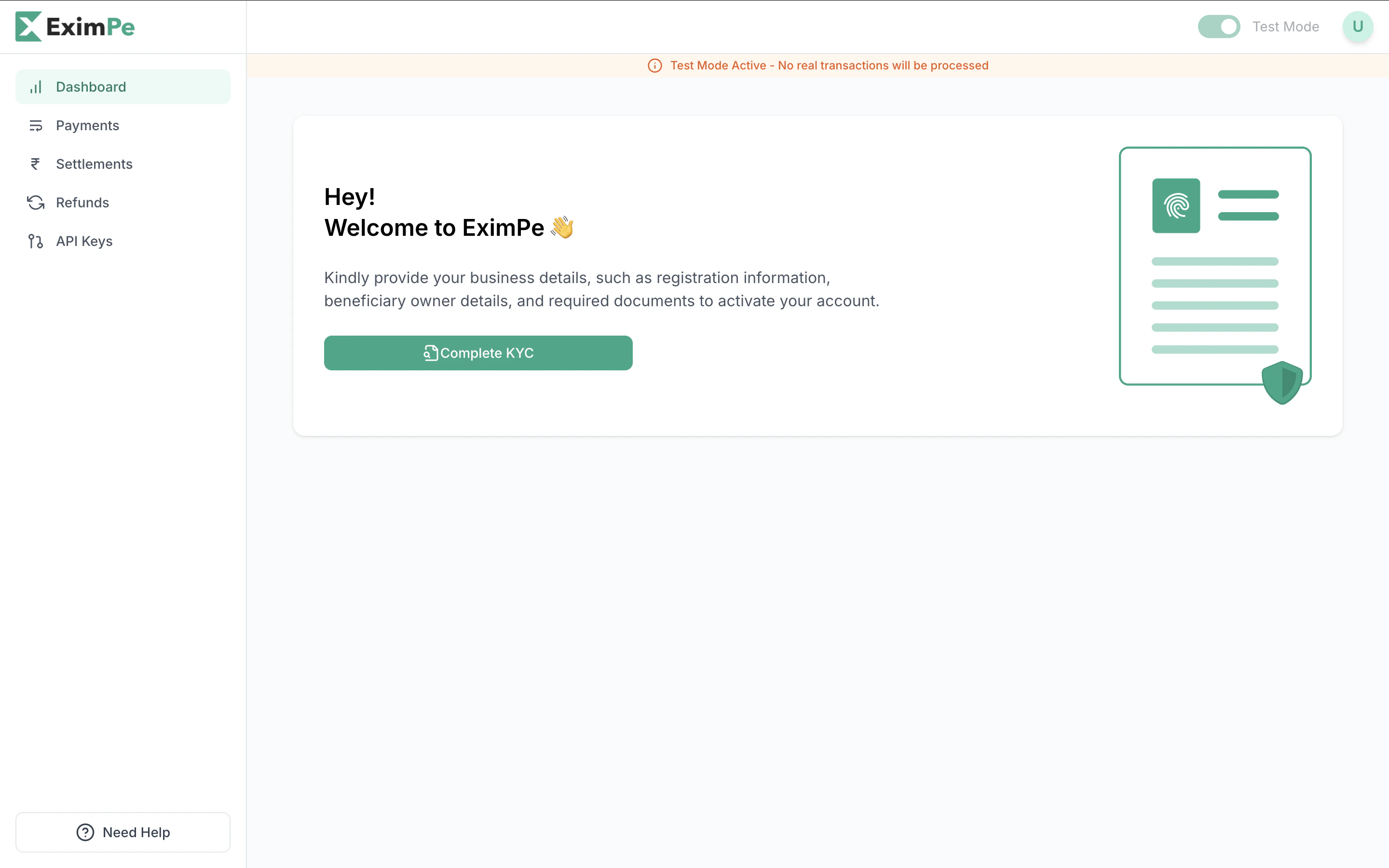
## Complete KYC from Your Dashboard
Start the KYC process directly on your [**EximPe Dashboard**](https://merchant.eximpe.com). Click on the **"Complete KYC"** button.
 ## Required Documents
Make sure you have the following **details and documents** ready:
**Company Information:**
* Legal Company Name
* Trade Name (DBA)
* Business Registration Number
* Tax Identification Number
* Organization Type (LLC, Pvt Ltd, etc.)
* Website / App / Store URL
* Average Transaction Value (USD)
* Estimated Monthly Volume (USD)
**Registered Business Address:**
* This cannot be changed once submitted.
**Authorized Representative:**
* Full Name
* Email Address
* Phone Number
**Settlement Bank Details:**
* Bank Account Number / IBAN
* Bank Name & Branch Address
* SWIFT / BIC Code
**Business Documents:**
* Certificate of Incorporation
* MoA & AoA
* Valid Business Licenses *(if applicable)*
* Proof of Business Address *(e.g., utility bill or bank statement)*
**Ownership & Banking:**
* Beneficial Owners' ID & Address Proof
* Cancelled Cheque or Signed Bank Statement
## API Key Access
You get access to API keys right after signing up — but production keys are only available after KYC approval.
**Sandbox API Keys** are available immediately after registration for testing and integration purposes. These simulate transactions without real funds.
**Production API Keys** are unlocked only after KYC completion and approval. These enable real payments and live operations.
Remember to switch from sandbox to production keys once you're approved!
## Account Status Lifecycle
| Status | Description | Action Required |
| ----------------------- | ---------------------------------------------------- | ------------------------- |
| **Pending** | KYC not yet started or documents missing | Start KYC process |
| **Documents Submitted** | Documents uploaded – under review | Wait for review |
| **Approved** | KYC successful – ready for account activation | Account will be activated |
| **Active** | All set! Your account is live and transacting | Start accepting payments |
| **Suspended** | Temporarily blocked due to compliance or data issues | Contact support |
## Required Documents
Make sure you have the following **details and documents** ready:
**Company Information:**
* Legal Company Name
* Trade Name (DBA)
* Business Registration Number
* Tax Identification Number
* Organization Type (LLC, Pvt Ltd, etc.)
* Website / App / Store URL
* Average Transaction Value (USD)
* Estimated Monthly Volume (USD)
**Registered Business Address:**
* This cannot be changed once submitted.
**Authorized Representative:**
* Full Name
* Email Address
* Phone Number
**Settlement Bank Details:**
* Bank Account Number / IBAN
* Bank Name & Branch Address
* SWIFT / BIC Code
**Business Documents:**
* Certificate of Incorporation
* MoA & AoA
* Valid Business Licenses *(if applicable)*
* Proof of Business Address *(e.g., utility bill or bank statement)*
**Ownership & Banking:**
* Beneficial Owners' ID & Address Proof
* Cancelled Cheque or Signed Bank Statement
## API Key Access
You get access to API keys right after signing up — but production keys are only available after KYC approval.
**Sandbox API Keys** are available immediately after registration for testing and integration purposes. These simulate transactions without real funds.
**Production API Keys** are unlocked only after KYC completion and approval. These enable real payments and live operations.
Remember to switch from sandbox to production keys once you're approved!
## Account Status Lifecycle
| Status | Description | Action Required |
| ----------------------- | ---------------------------------------------------- | ------------------------- |
| **Pending** | KYC not yet started or documents missing | Start KYC process |
| **Documents Submitted** | Documents uploaded – under review | Wait for review |
| **Approved** | KYC successful – ready for account activation | Account will be activated |
| **Active** | All set! Your account is live and transacting | Start accepting payments |
| **Suspended** | Temporarily blocked due to compliance or data issues | Contact support |